How it works · product walkthrough
See the recruiter loop,
end to end.
Four steps, auditable the whole way through. Post once, distribute across every board with throttle-aware slots; screen and rank with a per-stage fairness check; schedule on the hiring manager’s calendar with a paste fallback; ship an EEOC + NYC LL 144 audit PDF on every decision. No black-box gate — and no slide deck.
- 4 capability modules
- One shared audit trail
- Same surface a recruiter uses daily
01
Post once, distribute everywhere
Throttle-aware slots so anti-spam floors stay enforced.
02
Screen + rank against role criteria
Per-stage fairness flags disparities before hire.
03
Schedule on the manager’s calendar
Paste-free/busy fallback when no ICS feed exists.
04
Ship an EEOC + NYC LL 144 audit PDF
No black-box decisions, ever.
Step 1 · Post
One role, every board — without spamming any of them.
Pennon queues your description across LinkedIn, Indeed, ZipRecruiter, and a role-matched niche board, then throttles each channel so anti-spam floors (24 h LinkedIn, 12 h Indeed, 6 h ZipRecruiter, 4 h niche) stay enforced across hundreds-of-applicants days.
See it for your vertical
- Healthcare hiring
Credentialing + LL 144 audit
- Logistics hiring
Shift, DOT + EEOC ready
- Hourly hiring
Same-day funnel + WC awareness
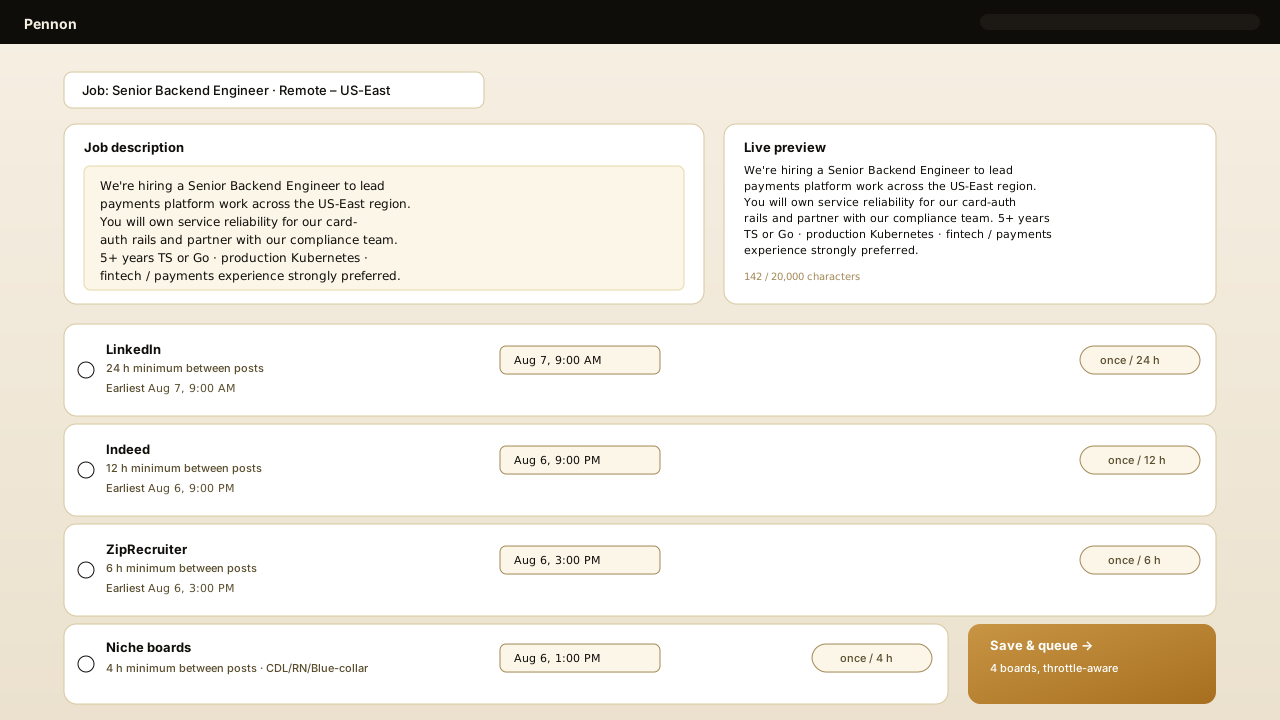
Surface from /dashboard/post/composer — the same screen recruiters use day to day.
Step 2 · Screen + rank
Ranked slate with a per-stage fairness check before hire.
Pennon scores every applicant against the must-haves and nice-to-haves you set, surfaces the slate ranked by match, and stamps the four-fifths rule on every stage so a ≥ 20% disparity jumps before the audit row is even written.
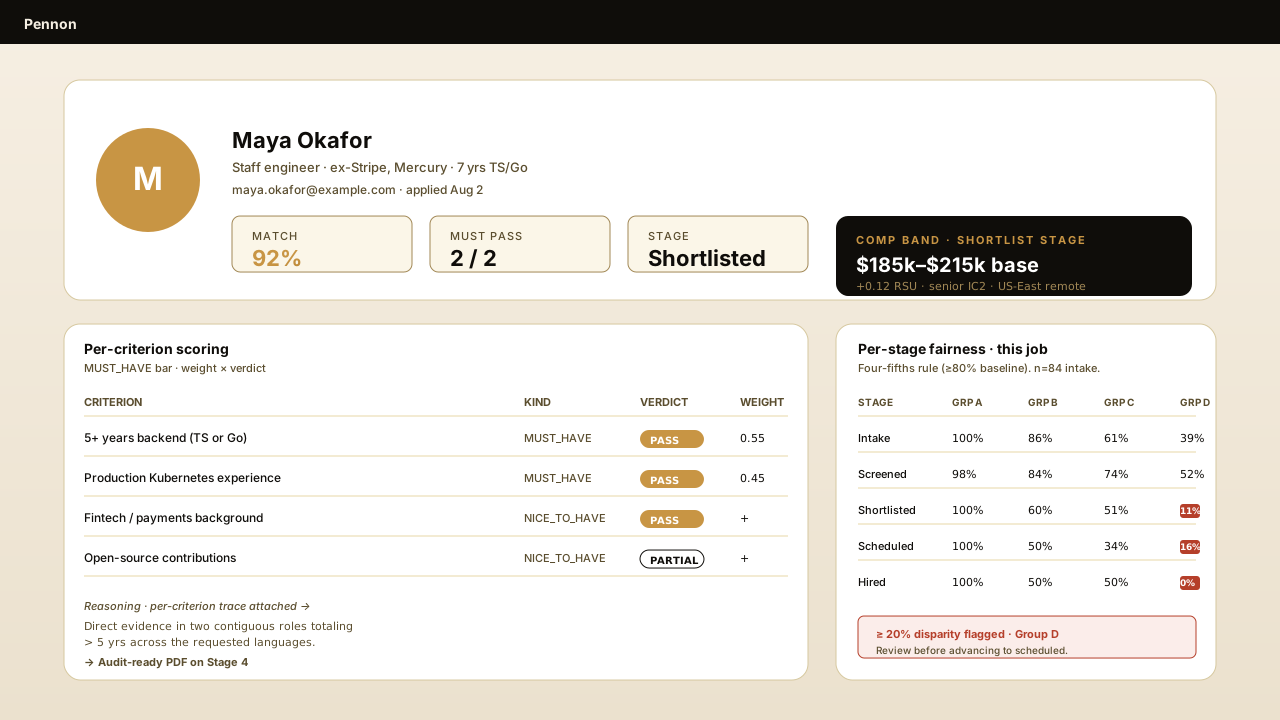
Surface from /dashboard/candidates/[id] — comp-band + audit-trail cells render alongside the slate.
Step 3 · Schedule
Interviews on the manager's actual calendar — paste fallback included.
If the hiring manager has a Google Calendar public ICS feed, Pennon reads it directly. Otherwise, paste a free/busy block and the same slot-proposer derives the next 60-minute windows — every confirmed slot is stamped with an audit-visible reason.
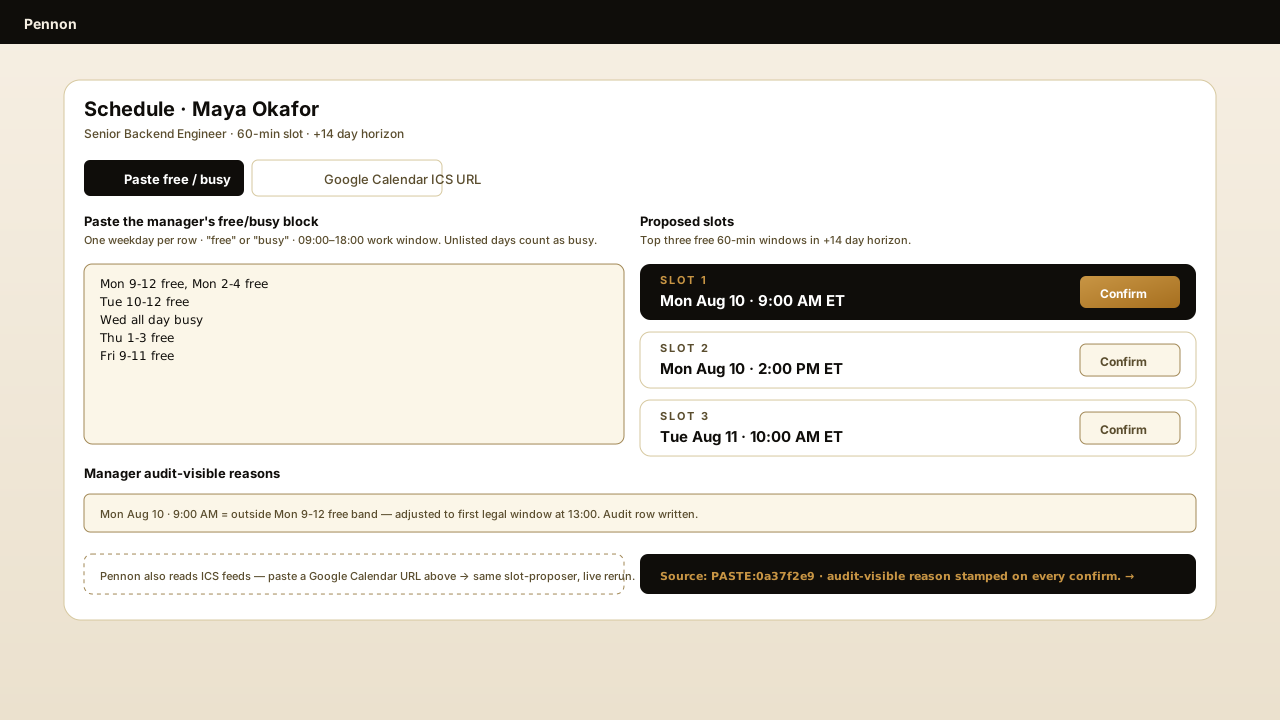
Surface from /dashboard/scheduling — paste a block, confirm a slot, the audit row stamps the source.
Step 4 · Audit
An EEOC + NYC LL 144 audit PDF on every decision.
No black-box gate: each decision ships with the applicant, job, decided-at timestamp, model version, human reviewer, the disparate-impact cohort, the per-criterion trace, and the law versions applied. Hand it to outside counsel unchanged.
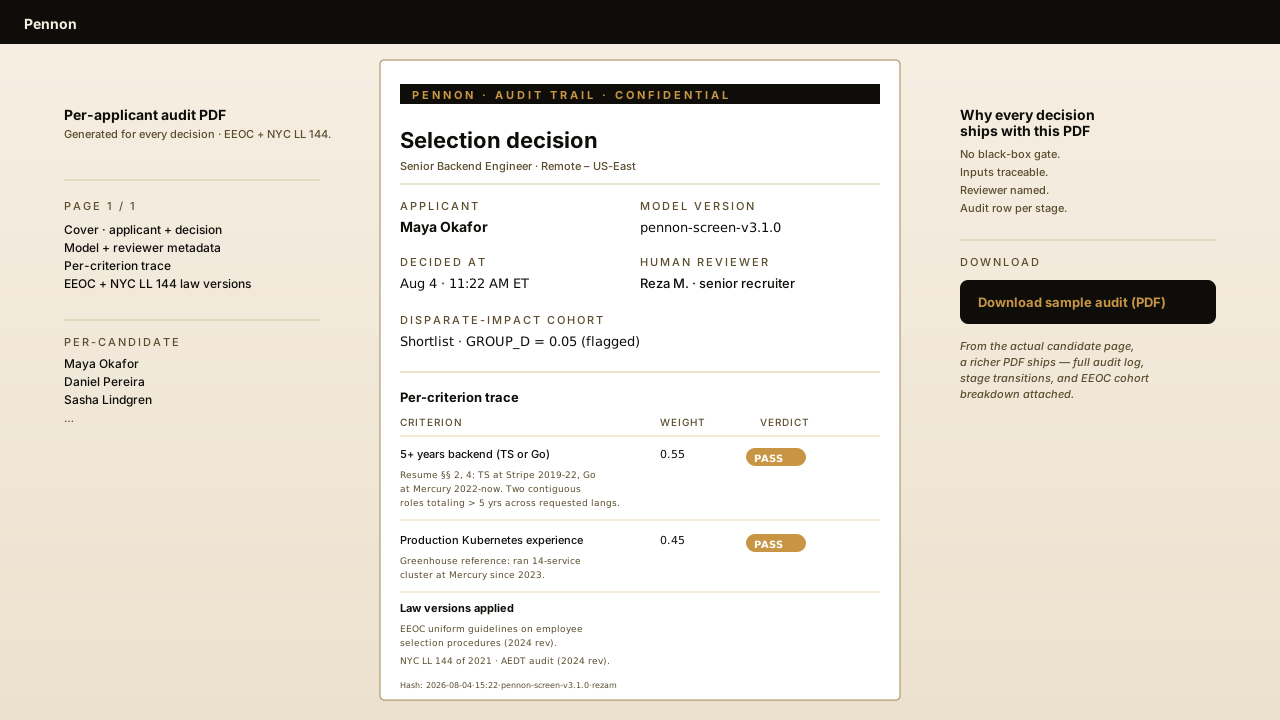
Generated by /api/pdf/document — real pdf-lib render, no external service.
Ready when you are
See Pennon run on your open role.
We'll walk through the loop on a role you actually have open — distribution, fairness check, scheduling, audit PDF. Or read the pricing and a single PO gets you the Growth module set.
Pick your vertical
Same loop, tuned for the role you’re hiring.